Can an AI persona wear my makeup in the video?
Yes. Add your product photo as a reference image and describe the look. Your AI persona can wear it. The look is generated, so don’t present it as how your product performs on real skin.
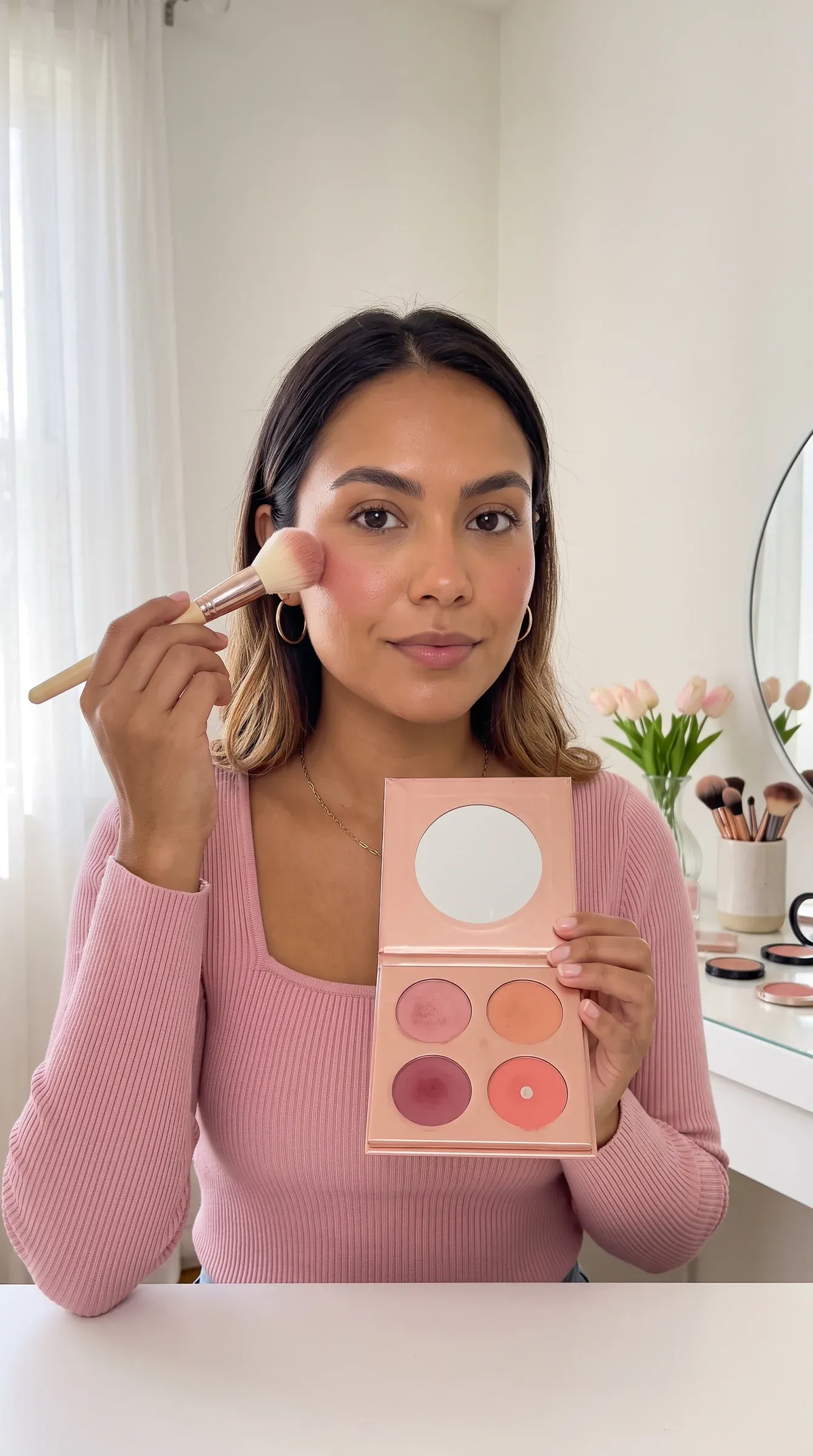
Teach one technique per video: where blush sits, how one palette makes three looks, which two scents layer. Phersa gives you viral beauty videos broken down shot by shot, and an AI influencer to lead yours, on your own API keys.
Show the technique, end on one word to comment, and send the written steps with the products by DM. The steps and the product list are the reason to comment.
blush.with.bia
Your blush goes higher than you think. Comment BLUSH for the placement guide 👇
Hi! Here’s where blush goes 💗 1. Smile and find the top of your cheekbone 2. Tap blush there, not on the apples 3. Blend up toward your temple 4. Shades: rose for day, berry for night
The placement guide (PDF) 👉yourstore.example/guides/blush-placement.pdfThe openers viral beauty videos in Phersa’s library use most, and three patterns to start your own.
The story shapes viral beauty videos in Phersa’s library use most, and who is on screen. Your AI persona can play any of these roles. See AI persona ideas.
Connect your AI agent to Phersa over MCP and ask. It reads the library and plans the clips with your persona; nothing is generated until you confirm.
Find the most viewed makeup and nail videos in Phersa’s library. Open the top ten. Keep the ones that ask viewers to comment a word.
Tools used: discover-search, video-get
Take the best one. List each step and the product in every shot.
Tools used: video-get
Plan a 30-second blush video with my AI persona. Use my blush photo. End with “comment BLUSH”.
Tools used: personas-list, assets-list, create-project, create-clip
Yes. Add your product photo as a reference image and describe the look. Your AI persona can wear it. The look is generated, so don’t present it as how your product performs on real skin.
Anything people want to copy step by step: blush, brows, lashes, nail designs, fragrance layering.
Yes. Upload the product photo to the app and add it as a reference image on each clip.
Yes. The face comes from the persona photo. Make one AI character per skin tone, each from its own photo, and match the shade to it.